Drop in long basketball footage and start from reviewable moments instead of an empty timeline.
Early beta
AI-assisted
Review first
AI Edit Agent
macOS version live
Windows beta
Turn full game film into highlights in seconds.
HoopClips helps basketball players and coaches stop wasting time scrubbing through long videos. Upload game footage, let AI surface possible highlight moments, choose an edit style, and turn the clips that matter into exposure.
Built for players, coaches, teams, trainers, parents, and creators across web, macOS, iOS, and Windows beta workflows.
No install is needed for the browser demo. AI-assisted detection and AI Edit exports stay review-first, then you decide what to keep.
 Dashboard
Uploads
Review
AI Edit
Dashboard
Uploads
Review
AI Edit
Analysis
Ready
Upload footage
0Clips
--Highlight tags
--Needs review
▶
Drop game video
The problem
Game film takes too much time.
Reviewing basketball footage means hunting through long videos just to find a few strong plays, missed shots, defensive mistakes, or clips worth sharing.
- 01Long footage is hard to review
- 02Highlights are annoying to find manually
- 03Coaches do not always have time to clip film
- 04Players need exposure clips for recruiting and social media
- 05Teams need better organization for review
Choose your lane
Different basketball people, one faster film-review starting point.
Get exposure
Pull out makes, drives, hustle plays, and clips worth sending to coaches, recruiters, or social audiences.
Review faster
Start with possible key moments instead of scrubbing through every second of game film.
Organize video
Keep film review pointed around clips, labels, and moments the whole group can discuss.
Make content
Spend less time hunting for usable plays and more time cutting the final story.
Simple flow
Upload footage. Let AI analyze it. Review the best clips.
Upload basketball footage
Players, parents, and coaches can bring in game clips, practice clips, or longer team footage.
AI surfaces possible moments
HoopClips helps identify possible events such as makes, misses, drives, passes, and highlights.
Review, edit, and share
Users confirm useful clips before saving, exporting, or requesting an AI Edit highlight reel.
Built for basketball
A focused toolkit for turning raw game video into useful moments and finished exports.
AI clip detection
Finds possible highlights and important basketball moments from raw footage.
AI Edit Agent
Plans cloud-rendered highlight reels from kept clips, with style and length controls in the app.
Reviewable labels
Labels can include shot attempt, drive, made shot, miss, pass, highlight, and needs review.
Review dashboard
Inspect detected clips, sort by confidence, and decide what is actually useful.
iOS, macOS, and Windows apps
Use phone-first upload on iOS, desktop review on macOS, and private x64 Windows engineering beta access for approved testers.
Web demo
Preview the upload and analysis workflow in the browser through the existing Atrak demo.
Export workflow
Download, share, save, or open finished exports in tools like CapCut, iMovie, Adobe, Files, or Photos.
Exposure clips
Package the moments that help players get seen for recruiting, team pages, and social posts.
Product proof
Already working, still improving.
Web, macOS, and Windows beta
The public web demo, live macOS version, and private Windows engineering beta give visitors real desktop paths to evaluate the workflow.
iOS AI Edit work
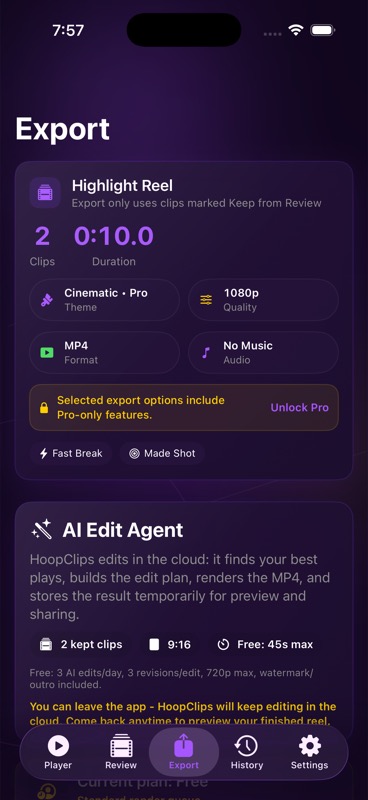
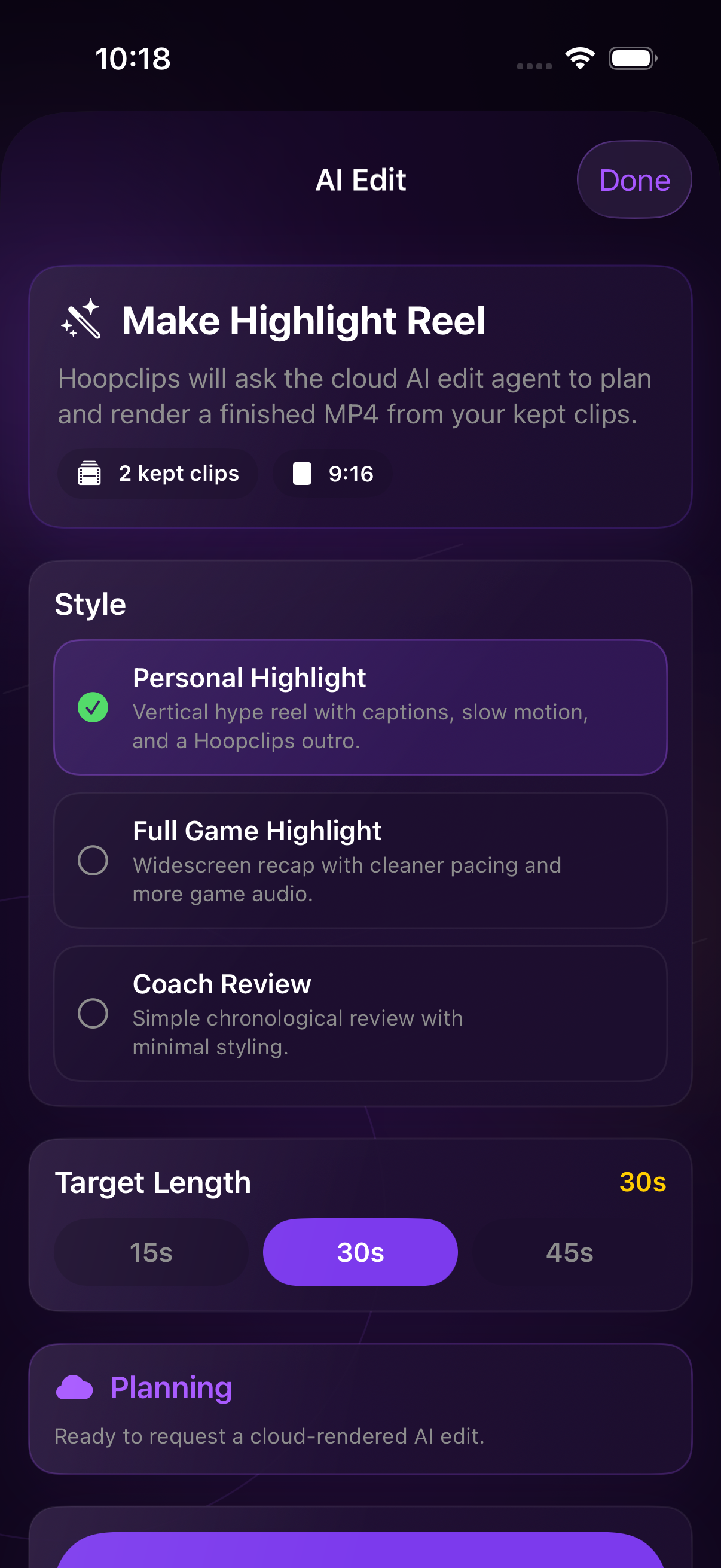
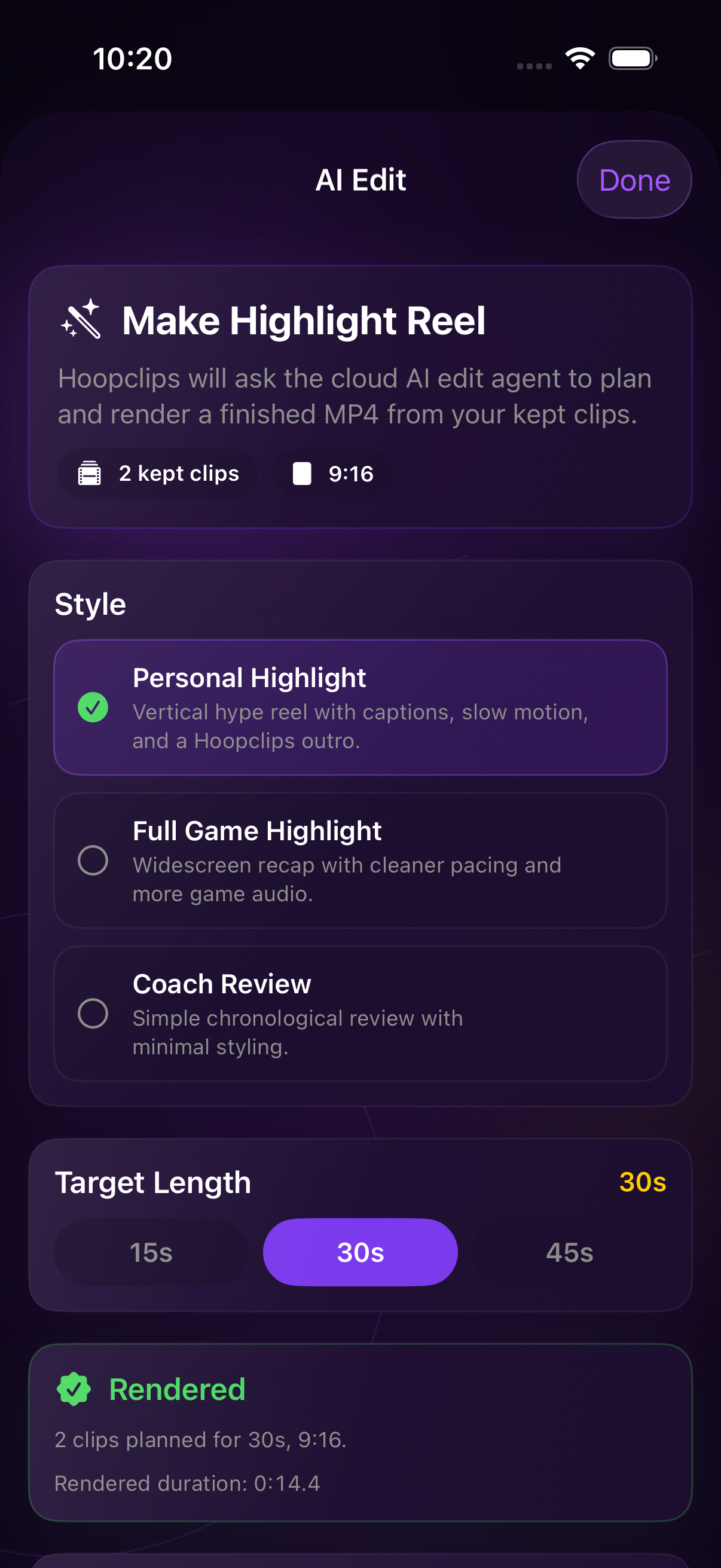
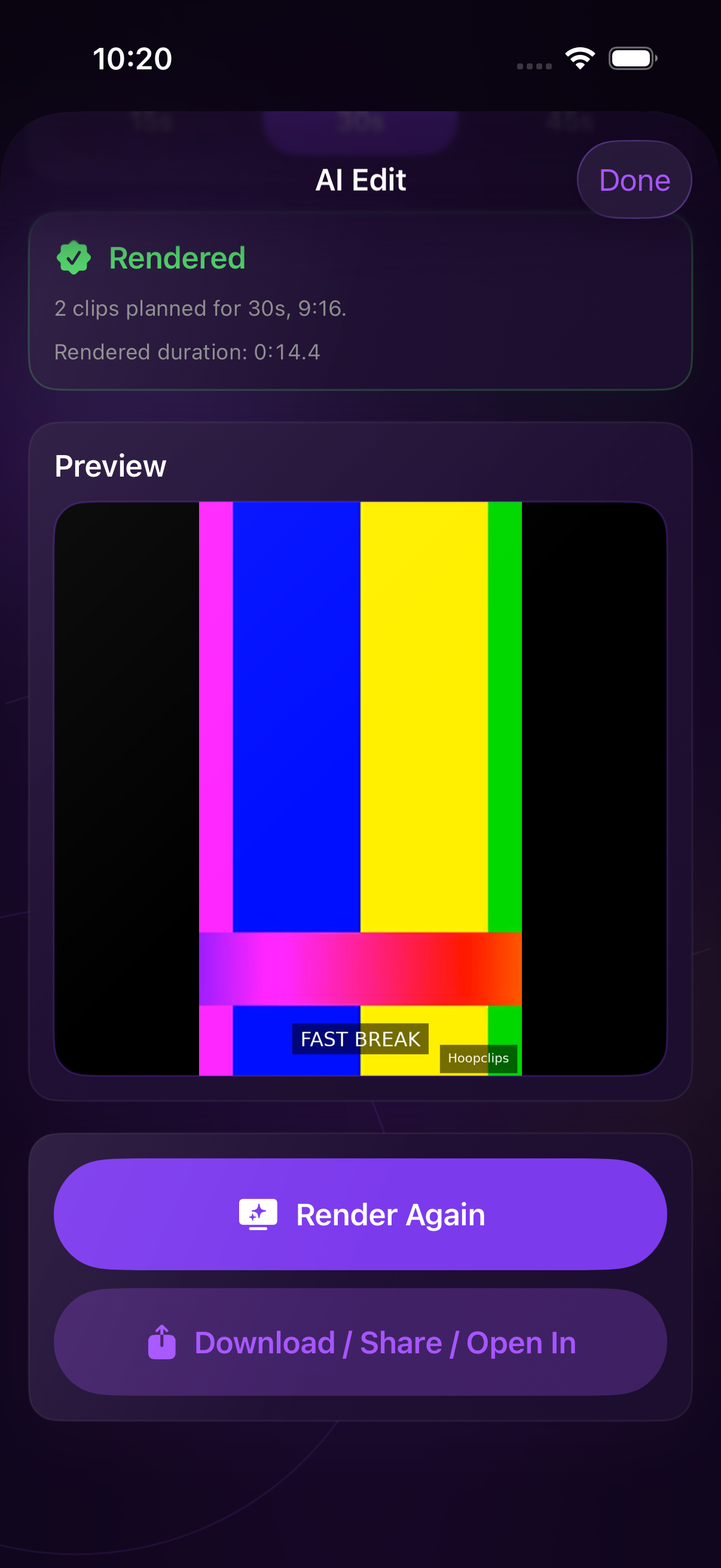
The current iOS app work includes an AI Edit Agent flow for style selection, render status, preview, and export.
Cloud-gated beta
Cloud ML and rendering stay gated for public launch until production auth, storage, observability, and real-device smoke are ready.
Backend-owned AI ranking
A GPT highlight reranker is designed as a backend-only, disabled-by-default assist that never replaces review.
Product proof
Real app assets, AI Edit screens, and review previews.
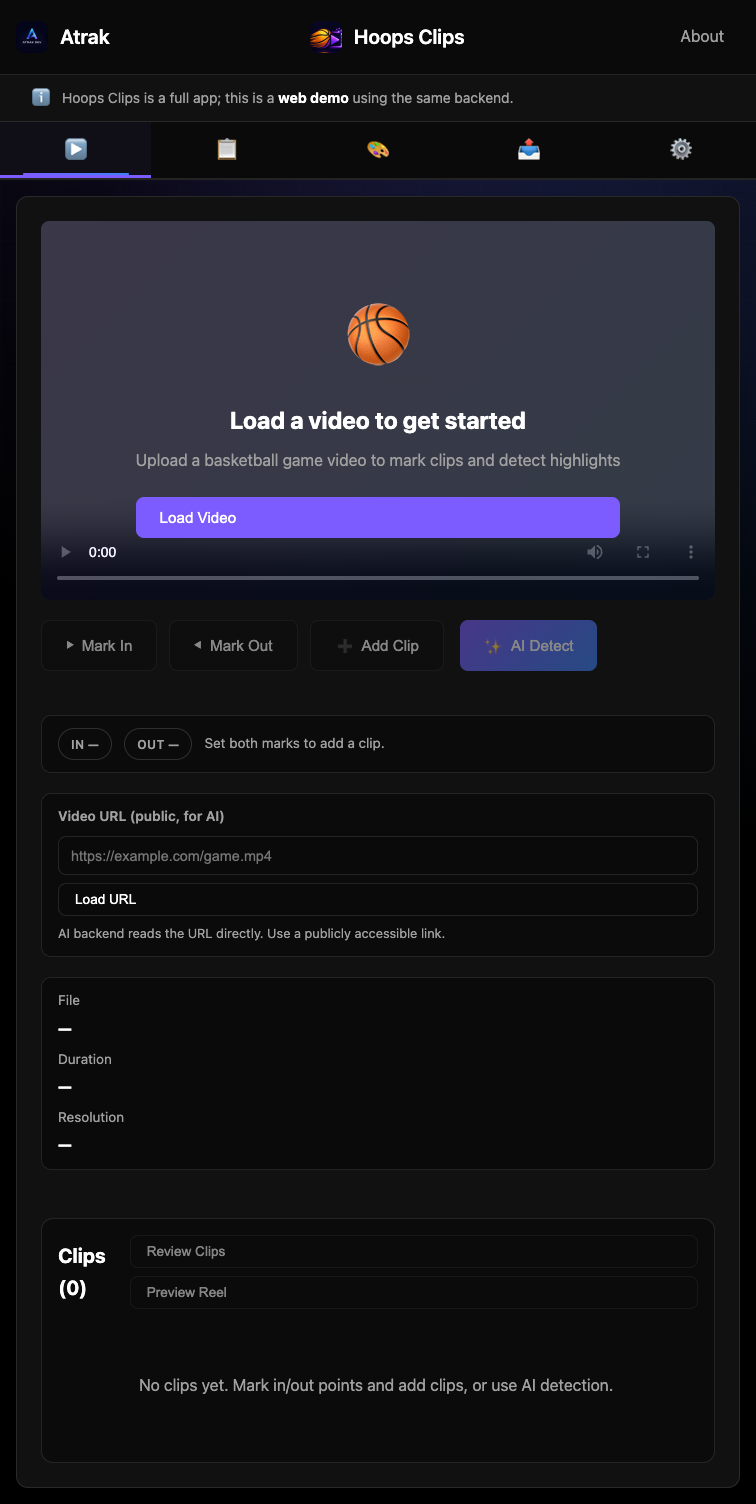
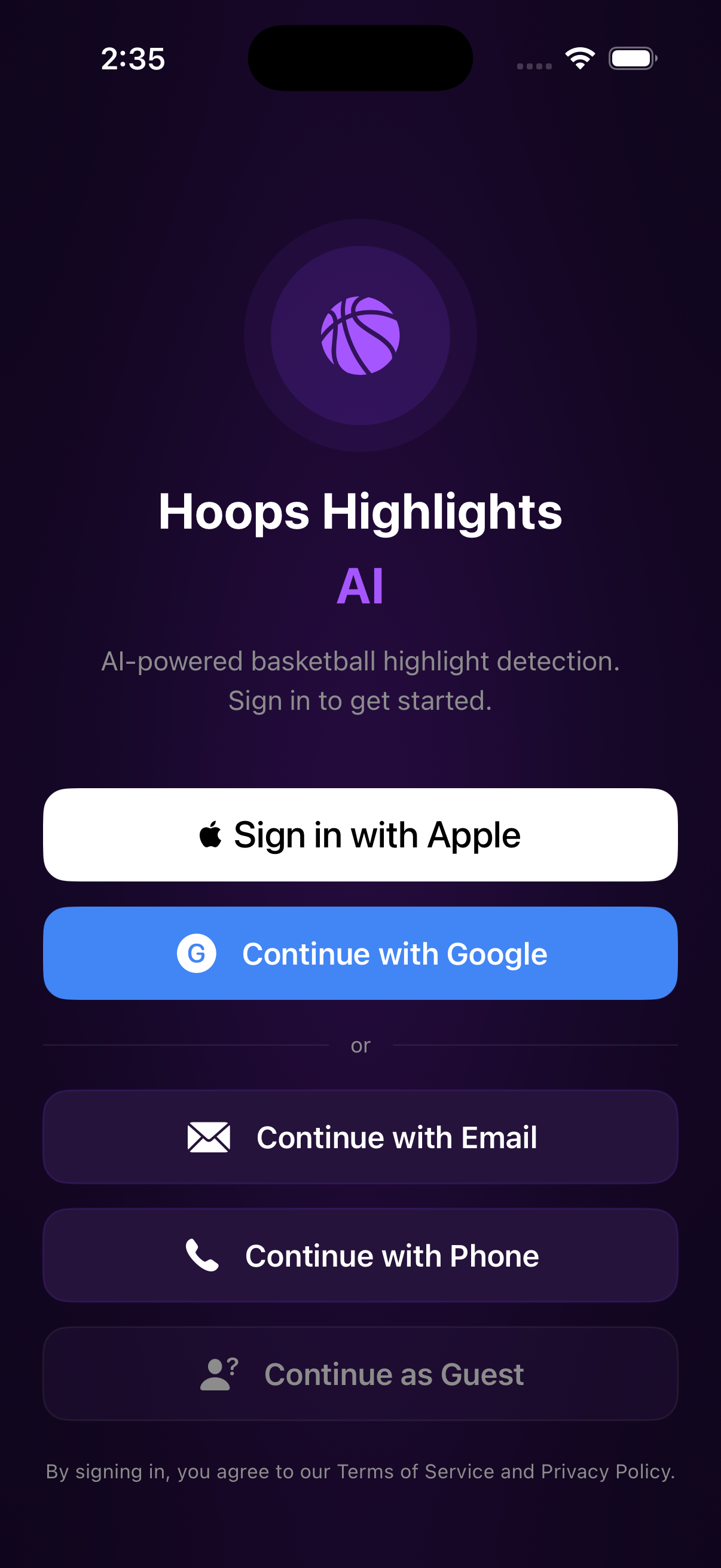
Live demo
Want to see it in action?
Try the HoopClips web demo on Atrak. Preview the upload and AI-assisted analysis workflow in the browser with no install required. AI Edit cloud rendering is still beta-gated while HoopClips keeps improving.
- Upload basketball footage
- Run AI-assisted detection
- Review possible clip labels
- See where AI Edit exports are headed
Maker proof
Built by Charlie Han
Created with love by Charlie Han and Atrak.dev as an early-stage AI sports product.
atrak.dev/apps/hoopsclipsDownloads
Windows access is an unsigned engineering beta.
Windows x64
Download Windows Engineering Beta
Unsigned Windows engineering beta
This build is a GitHub Actions artifact for approved repository-access testers. It is not signed, not production-ready, and not a permanent public release URL.
What testers need
- Sign in with GitHub repository access to download it.
- Expires August 24, 2026 at 07:58:54 UTC.
- Installer path inside the download:
squirrel.windows/x64/HoopClips-Setup.exe. - Do not mirror the installer publicly without Charlie's approval.
CI passed, release gate remains.
Verified at commit 971455dcf1c759e3e957da0b38112faacf5aa2aa
with green Windows CI, 935/935 tests, packaged-runtime smoke, Squirrel install,
launch, single-instance, uninstall, SHA-256 verification, and final exact-head Codex review.
Real edit/render completion is still blocked because production and staging return
404 for /v1/render-jobs/:renderJobId.
Who it is for
Useful for the people who actually touch basketball film.
Players
- Find personal highlights
- Review mistakes
- Build recruiting and exposure clips
- Get seen with cleaner social-ready moments
- Track development over time
Coaches
- Save time reviewing film
- Identify key moments faster
- Share clips with players
- Organize team video review
Trainers
- Show specific improvement points
- Compare before and after clips
- Create training examples
- Keep useful reps easy to find
Parents and creators
- Find good moments from games
- Save shareable clips
- Help athletes get exposure
- Avoid manually editing full videos
Trust and accuracy
AI helps you find the moment. You make the final call.
HoopClips uses AI-assisted detection to help surface possible basketball moments faster. AI is not a replacement for human review. It is designed to reduce the time spent searching through footage by giving users a faster starting point. Cloud AI Edit and rendering stay gated until production launch checks are ready.
Built by Charlie Han
A real product funnel for a real basketball tool.
HoopClips.com routes visitors to the live demo, captures beta interest through Formspree, and gives players, coaches, and teams a clear front door for the live macOS version, private Windows engineering beta, iOS testing, AI Edit updates, and web workflow.
Roadmap
Active product, clear next steps.
Available now
- Web demo
- macOS version live
- Unsigned Windows engineering beta for approved testers
- iOS upload, review, and testing path
- Public-safe local review and export fallback
Internal beta work
- AI Edit Agent style selection
- Cloud edit planning and MP4 rendering
- Internal TestFlight Build 3 upload evidence
- GPT highlight reranker disabled by default
Before public GA
- Fresh real-device TestFlight smoke
- Staging Worker refresh and version proof
- Subscription and legal-link checks
- Production auth, storage, logs, and reliability gates
FAQ
The honest version before you try it.
Is HoopClips fully automatic?
No. It is built to surface possible moments faster, then let users review and confirm what matters.
Is the AI perfect?
No. Basketball video is messy, so HoopClips uses reviewable labels instead of claiming perfect calls.
Who is it for?
Players, coaches, teams, trainers, parents, and creators who need cleaner basketball film workflows.
Can I try it without installing?
Yes. The Atrak web demo lets you preview the workflow from a browser.
Is cloud AI Edit public yet?
Not yet. The AI Edit cloud path is internal/beta-gated until the launch smoke and production gates are ready.
Is Windows public?
No. The current Windows x64 build is an unsigned engineering beta shared through a private GitHub artifact for approved testers.
How do I join the beta?
The macOS version is live now. Use the form below for macOS access, Windows beta access, iOS beta testing, AI Edit updates, or team setup.
Get access
Join the HoopClips beta.
Tell us how you would use HoopClips. The beta list is for macOS access, Windows beta access, iOS testing, AI Edit updates, exposure clips, and teams that want faster basketball film review.
charliehan112@gmail.com